Snap now, sort later
Photograph a receipt with zero other input, no amount, no category, no budget, and finish it later from the pending-receipts inbox. Built for days where there is no time to stop and log every purchase.
Every traveller gets their own pot of money, in their own currency. Log what's spent in seconds, or photograph the receipt now and deal with it when you sit down.
In use
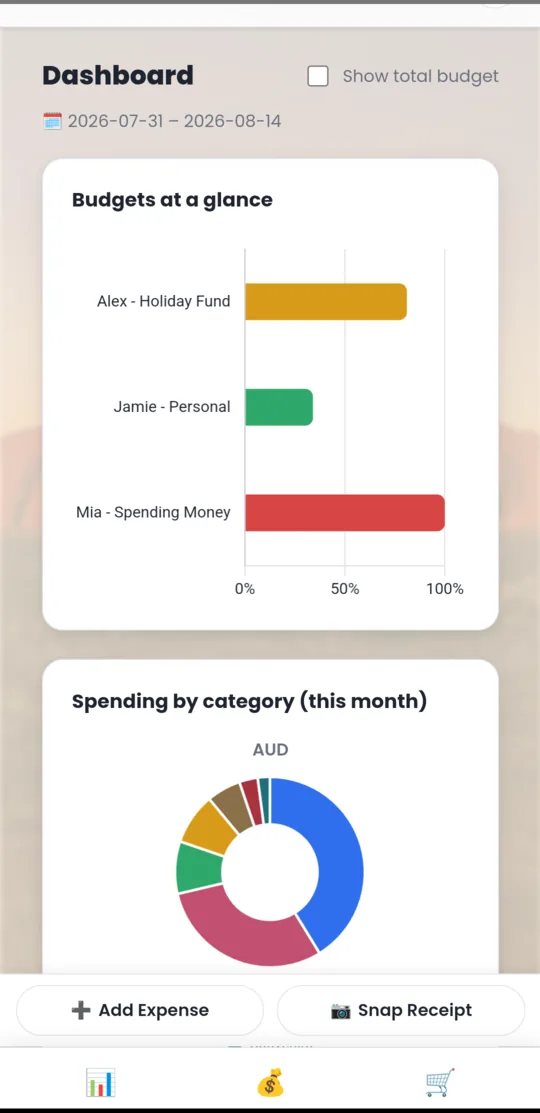
Splitwise and its cousins assume a group of adults settling up afterwards. A family trip isn't that. Each kid has spending money, some from you and some from their grandmother, and the question is never "who owes whom". It's has Aaron got anything left, and is it in yen or dollars?
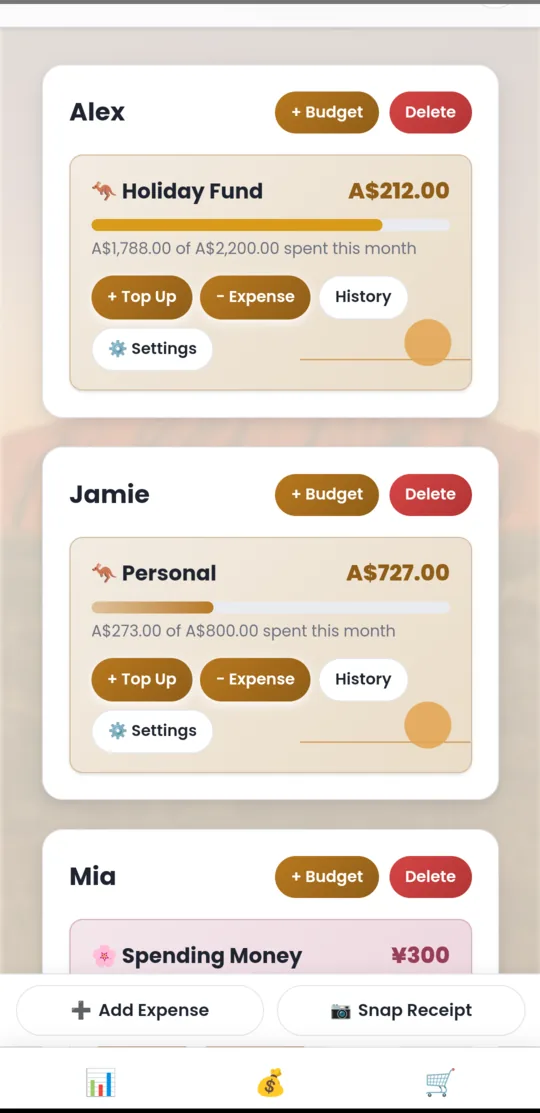
Each traveller gets their own card, and inside it as many budgets as they need. One child can hold a yen budget from you and an Australian dollar budget from their grandmother at the same time, because to a nine-year-old those are two different things.
The dashboard is scoped to the trip's dates, not just the calendar month. It answers the two questions that actually get asked out loud: who is close to running out, and where has it all gone.
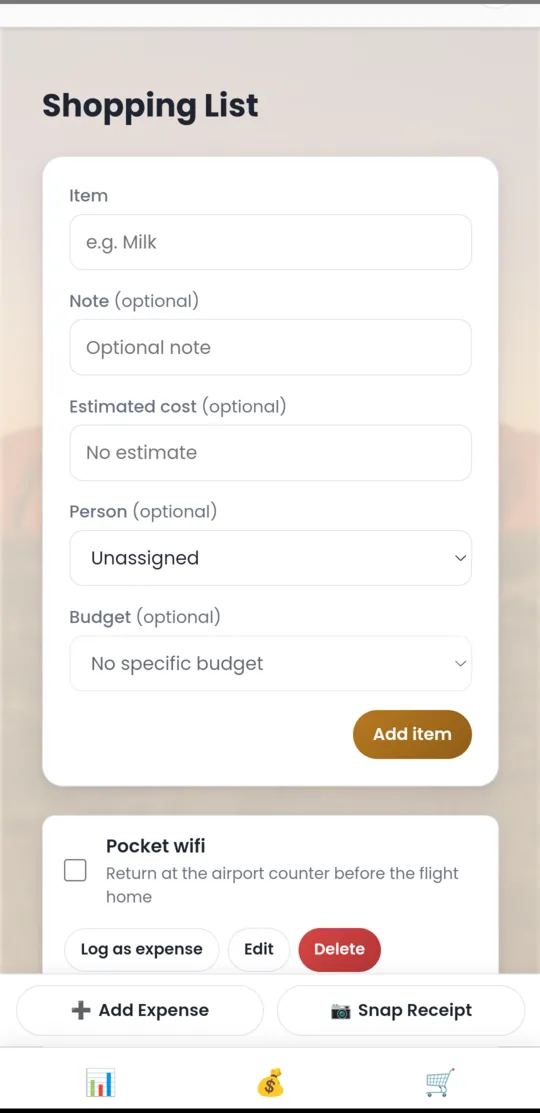
The things you still need to buy live in the same app as the money you have left, which is the only place they were ever useful. Add an item with an estimate, tick it off when you've bought it, and turn it into a real transaction with one button.
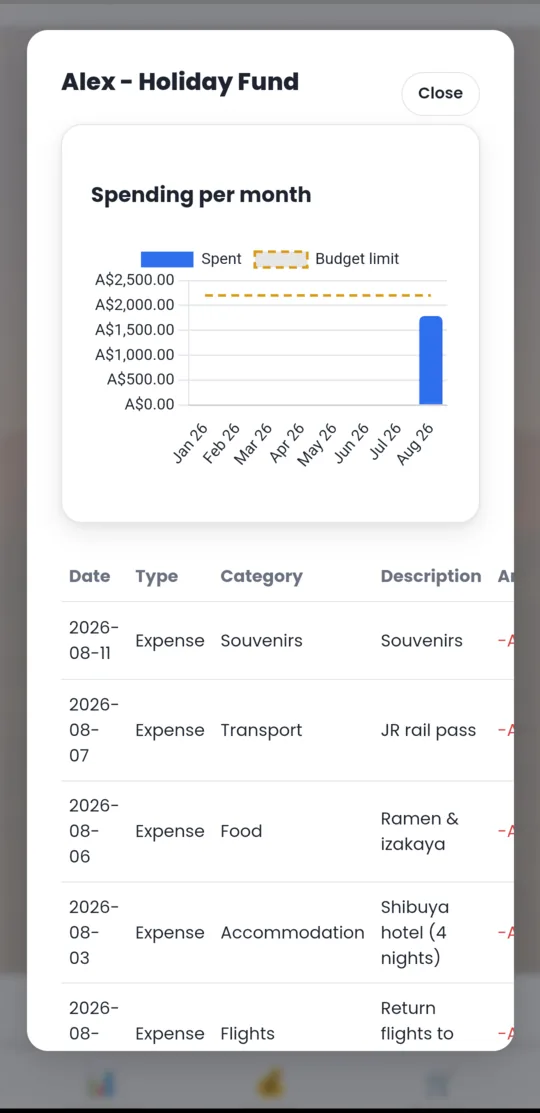
Open any budget's history and you get the spending trend against the limit, then the full ledger underneath: date, type, category, description and amount, all editable.
Photograph a receipt with zero other input, no amount, no category, no budget, and finish it later from the pending-receipts inbox. Built for days where there is no time to stop and log every purchase.
Each family or friend group logs into its own household. Data is fully isolated, so you can share the app with people you'd never share a budget with.
Toggled in settings and remembered per household, because a lot of this gets logged in a dark hotel room with someone asleep next to you.
Rate-limited sign-in, security headers, HTTPS enforced, and new households only by an invite code you control. No open sign-ups.
The souvenir shop hands you one total covering three children. Enter it once, split it evenly or by custom amounts, and each budget gets its own linked transaction that balances back to the total.
A feedback button in the header sends a bug report or suggestion straight to the studio. Nobody else in your household can read what you sent.
Select any screen to see it larger.
Screenshots from the Android build, with sample data. The backdrop changes with the household's chosen theme.
The Android build does: banner ads served by Google AdMob, which is what pays for the app being free. Nothing you enter is shared with the ad network: your budgets, transactions and receipts never leave your household. The web version has no ads at all. The privacy page sets out exactly what AdMob collects.
No. There's no "who owes whom" and no settling up. TabiLog tracks pots of money that belong to individual people. The split feature divides one receipt across several of those pots at the moment you pay. It doesn't create a debt between anyone.
Yes, and it doesn't try to be clever about it. Each wallet has one currency and stays in it. Totals and charts are shown per currency rather than converted to a single one, so you never see a number that depends on an exchange rate that moved.
Only people who log into that household. Households are fully isolated from one another, so another family using the same deployment cannot see, reach or affect your data.
Feedback you send through the app is the one exception, and it goes only to the studio: nobody in your household can read it, including you.
Always. CSV, Excel and PDF, for one person or everyone, at any time. There's also a self-service account deletion under settings that permanently wipes the household and everything in it.
No. Creating a household requires an invite code, which keeps the deployment to people who were actually invited. This site is here to explain what the app is, not to sign anyone up.
The Android build stores its data on the device, which is the configuration built for travel. The point at which you most need it is usually the point at which you have least reception.
TabiLog handles the money. TabiPlanner keeps the whole trip on one screen and is on Google Play now. TabiPace, which works out whether a day is survivable for everyone in the group, is still to come.